EN
EN

How Laser Engraving Machines Interact With Materials
The Science Behind Laser-Material Interaction
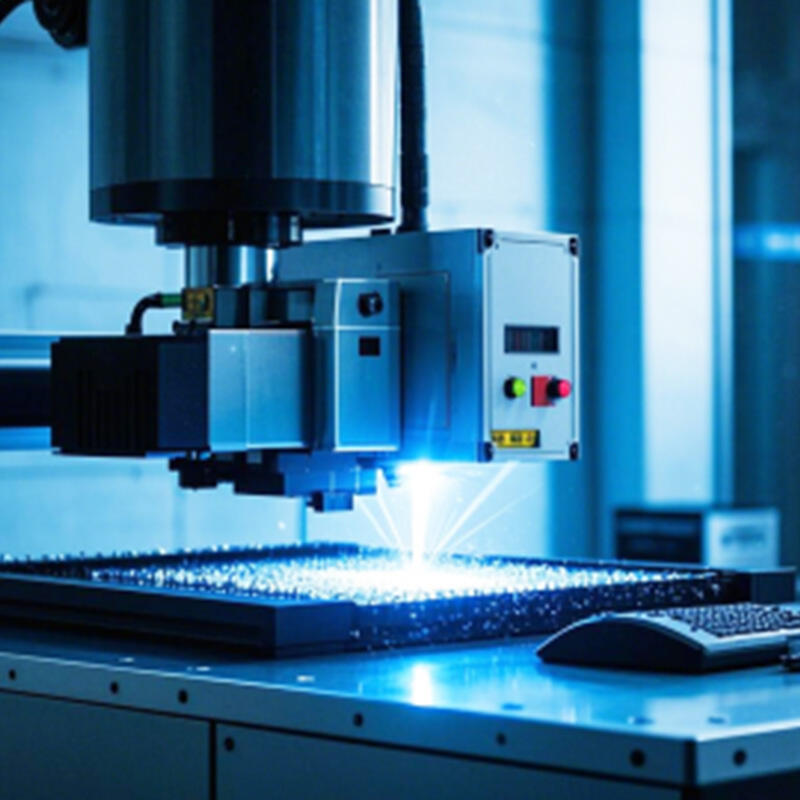
Laser engraving works by removing material using focused energy beams that either melt or vaporize the surface layer with incredible precision. The success of this method depends heavily on three main factors related to materials: how well they absorb light, their ability to conduct heat, and what temperature they start to melt at. Take acrylic for example it soaks up about 95% of the energy from CO2 lasers operating at around 10.6 microns, which makes for really clean engravings. Aluminum is different though since it bounces back roughly 60% of infrared light, meaning we need much stronger fiber lasers to get decent markings on it. This explains why softer woods generally engrave quicker than harder ones, and also why anodized aluminum surfaces give much clearer results compared to regular untreated metal surfaces.
Wavelength and Material Absorption: Why It Matters
The wavelength of a laser has a major impact on what materials it can work with effectively. CO2 lasers operating between 9.3 and 10.6 micrometers perform exceptionally well on organic substances such as wood grain and acrylic surfaces because these materials absorb mid-infrared light so efficiently. When working with metal parts however, fiber lasers at around 1.06 micrometers become the go-to choice since their near-infrared spectrum matches up nicely with how electrons behave in steel and titanium alloys. Many shops have noticed that fine tuning the laser wavelength can boost engraving speeds by approximately 30 percent when dealing with complex parts made from multiple materials like those fancy coated casings used in electronic devices. Getting this spectral alignment right really matters when choosing equipment for production runs where efficiency counts.
Fiber Laser vs CO2 Laser: Matching Technology to Materials
| Factor | Fiber Laser | CO2 Laser |
|---|---|---|
| Optimal Materials | Metals, plastics | Wood, acrylic, glass |
| Engraving Depth | 0.05–0.5 mm | 0.1–3 mm |
| Precision | ±10 μm | ±50 μm |
Fiber lasers dominate industrial metal marking applications, offering superior precision and durability. CO2 lasers remain the standard for non-metallic substrates like rubber stamps and architectural models. Projects combining materials—such as engraved metal plaques mounted on wooden bases—often require dual-system setups to optimize results across substrates.
Wood and Wood-Based Materials: Processing Natural and Engineered Boards
Engraving Natural Wood: Grain, Density, and Finish Considerations
Getting good results from wood engraving really comes down to three main factors: how the grain runs, how dense the wood is, and what kind of finish it has. When working across the grain instead of with it, most engravers find they need about 15 percent extra power because the heat doesn't spread evenly through the material. The density of different woods makes a huge difference in machine settings too. Take basswood for example, which weighs around 12 to 15 pounds per cubic foot. If we push past 65% power level on this softwood, it tends to burn rather than cut clean. Oak tells a different story altogether since it packs in 45 to 50 pounds per cubic foot. These harder woods require much more energy to engrave properly. Surface treatments matter just as much. Unfinished walnut soaks up roughly 23% more energy compared to when it's sealed with polyurethane. To avoid burning through those unsealed surfaces, many experienced engravers will actually increase their speed by somewhere between 10 and 20% during the process.
| Wood Type | Optimal Power Range | Speed Recommendation | Grain Consideration |
|---|---|---|---|
| Basswood | 50-65% | 400-600 mm/s | Uniform parallel cutting |
| Oak | 70-85% | 300-450 mm/s | Cross-grain pre-scanning |
| Maple | 60-75% | 350-500 mm/s | Burn mark minimization |
Working With MDF, Plywood, and Other Composites
While engineered woods bring better consistency to the table, they also come with their own set of headaches for workshop owners. Take MDF for instance it soaks up laser energy much better than regular wood because all those fibers are packed uniformly together. The result? Cleaner, sharper edges when doing intricate engraving work. But there's a catch too. Those resin binders inside MDF create a lot of fine dust particles that need proper HEPA filtration systems to handle safely during cutting operations. And then there's plywood where quality really matters. Lower grade stuff tends to fall apart when laser power goes above about 55% particularly bad if trying to do deep cuts in one pass without multiple layers. Shop managers know this all too well from dealing with customer complaints about finished products coming apart after shipping.
Optimal Laser Settings for Wood-Based Materials (Power, Speed, Frequency)
When using high frequency pulses between about 20 thousand to 50 thousand hertz, thermal buildup drops around forty percent in those resin heavy composite materials when compared against continuous wave methods. Take 3mm thick Baltic birch plywood for instance. Setting the machine to 80 watts power while moving at 350 millimeters per second with a frequency around 30 kilohertz will produce nice clean cuts right through the material without messing up the glue joints. The thing is, natural wood types tend to work better with roughly five to fifteen percent less power output and twenty to thirty percent faster feed rates than what works for engineered woods. This helps prevent that ugly carbonized look on the cut edges.
Managing Smoke, Charring, and Ventilation in Wood Processing
According to the 2023 indoor air quality study, air assisted extraction systems cut down on airborne particles during wood engraving by around 74%. When working with softer woods, we've found that turning down the power setting about 10% while ramping up the speed by roughly 15% helps maintain the desired engraving depth without those annoying burn marks showing through. And for thicker materials, anything above 12mm really, most professionals recommend doing multiple passes with at least 30 seconds of cooling time in between each pass. This prevents the edges from getting too hot and carbonizing, which can ruin the finish completely.
Metals: Engraving Steel, Aluminum, and Other Industrial Alloys
Why Fiber Lasers Excel at Metal Engraving
Fiber lasers work at around 1064nm, which happens to be a wavelength that metals soak up about seven times better compared to what we see with CO2 lasers. Research into how materials absorb light confirms this difference. Because metals take in so much of that energy, fiber lasers can mark things like stainless steel, titanium surfaces, and various coated metals without messing up their shape from heat damage. The way these lasers pulse their energy helps control the heat they produce, which is why many manufacturers in fields such as aircraft parts production and medical tool fabrication rely heavily on them when working with components that need measurements accurate down to the micrometer level.
Techniques for Marking Stainless Steel, Aluminum, and Reflective Metals
| Material | Key Technique | Common Application |
|---|---|---|
| Stainless Steel | Low-frequency pulsed engraving | Surgical instrument marking |
| Aluminum | Pre-treatment with laser-safe etching paste | Barcode serialization |
| Reflective Metals (Brass/Copper) | Beam defocusing (0.2-0.5mm) | Jewelry personalization |
These techniques address specific challenges: low-frequency pulses create durable oxide marks on stainless steel, while pre-coating aluminum improves contrast. Defocusing the beam on reflective surfaces spreads energy evenly, reducing reflection risks and enhancing mark consistency.
Material-Specific Laser Settings for Precision Metal Engraving
- Stainless Steel: 30W power, 800mm/s speed, 50kHz frequency for corrosion-resistant marks
- Anodized Aluminum: 20W power, 1200mm/s speed, 100kHz frequency to preserve layer integrity
- Tool Steel: 80W peak power with 200ns pulse duration for hardened surfaces
These parameters ensure optimal contrast and structural integrity across diverse metallurgical profiles.
Overcoming Challenges With Heat-Sensitive and Highly Reflective Surfaces
When working with heat sensitive materials like magnesium, adding nitrogen assist gas becomes necessary to stop oxidation from happening during the engraving process. For reflective metals including copper and brass, special beam shaping optics come into play. These help manage how energy hits the material surface and cut down on those pesky reflections bouncing back. According to research published by NIST last year, switching to pulsed fiber laser technology makes a big difference. They saw surface reflectivity drop around 92 percent when compared against traditional continuous wave systems. This means manufacturers can now engrave consistently and safely even on delicate surfaces like gold plated connectors and various electrical parts without worrying about damaging them through reflection issues.
Plastics, Acrylics, and Polycarbonates: Selection and Safety
Laser Processing of Acrylic, ABS, and Glass-Like Plastics
When it comes to materials for laser engraving work, acrylic (PMMA), ABS plastic, and polycarbonate stand out because they just work so well across different projects. The cast acrylic stuff gives those really nice smooth, clear edges after cutting that look great on signs and display cases. Polycarbonate is pretty tough stuff though, can take a real beating without breaking, which makes it perfect for things like safety shields or machine guards where durability matters most. Now ABS plastic needs some extra care during processing since the edges tend to melt if not handled right, but once mastered it works surprisingly well for creating industrial labels and parts. And then there's PETG material that manages to keep both transparency and heat resistance at the same time, so it shows up everywhere from decorative panels to actual working components in various industries.
Toxic Fumes and Hazards: Which Plastics to Avoid in Laser Engraving
When PVC and vinyl come into contact with laser energy, they tend to release chlorine gas which can really irritate the lungs and cause damage to equipment over time. Materials containing fluorine or bromine compounds are even worse since they give off extremely corrosive fumes during cutting processes. Meanwhile, polystyrene tends to create thick black smoke and leaves behind gooey residue on work surfaces after being processed. Safety first folks! Before starting any laser operation, it's absolutely essential to double check what kind of material we're dealing with. A simple mistake here could lead to dangerous chemical reactions that nobody wants in their workshop environment.
Recommended Plastics Compatible With Laser Engraving Machines
- Cast acrylic: Minimal warping and excellent optical clarity
- Polypropylene: Low off-gassing, suitable for thin-sheet engraving
- Food-grade PET: Safe for medical devices and food-related products
These materials provide reliable performance with minimal health or machine maintenance concerns.
Adjusting Power and Speed Based on Plastic Thickness and Composition
| Material | Thickness (mm) | Power (%) | Speed (mm/s) |
|---|---|---|---|
| Cast Acrylic | 3–6 | 25–35 | 400–600 |
| Polycarbonate | 1–3 | 15–20 | 800–1000 |
| ABS | 2–4 | 20–25 | 300–500 |
For dark-colored plastics, reduce power by 10% to prevent scorching. Increasing pulse frequency enhances surface texture control, particularly useful for matte or frosted finishes.
Specialty and Brittle Materials: Glass, Ceramics, Stone, and Foam
Engraving Glass and Ceramics: Achieving Detail Without Cracking
Working with brittle stuff like glass and ceramics really requires careful control of processing parameters if we want to keep them from cracking during manufacturing. When it comes to etching borosilicate glass, pulsed laser systems actually cut down thermal stress by around 60% compared to those old continuous wave methods according to research published in Springer back in 2021. Ceramic tile manufacturers have found that setting pulse durations somewhere between 30 to 150 microseconds works best for their needs. This helps prevent those tiny cracks from forming while still getting decent resolution down to about 0.1 mm. And let's not forget about transparent materials either. These generally need power levels set about 20 to 30% lower than standard settings to avoid creating hidden damage beneath the surface that nobody wants to deal with later on.
Managing Thermal Stress in Brittle Materials With Pulsed Lasers
Managing heat properly matters a lot when working with materials that don't handle fractures well, such as quartz and silicon carbide. When running those 1064 nm fiber lasers between 50 to 100 kHz, we see about a 45% drop in thermal shock for fused silica according to research from Springer back in 2022. For real world applications, people generally warm up these materials first to around 120 to 150 degrees Celsius before starting work. They also rely on air assisted cooling techniques to make sure the areas being engraved stay under 300 degrees Celsius. That temperature mark is pretty important because it's basically where most types of glass start showing signs of deformation if things get too hot during processing.
Processing Stone and Tile Using High-Power CO2 Systems
For granite and marble work, most engravers find they need around 80 to 100 watt CO2 lasers just to get those nice visible engravings at depths between half a millimeter and two millimeters. When working with limestone or slate though, things change a bit. These materials actually do better when we slow down the laser speed by about 30% while bumping up the resolution to somewhere between 500 and 700 DPI. That combination really helps with getting those detailed designs right into the stone surface. And speaking of maintenance issues, anyone dealing with porous stones should seriously consider investing in water cooled lens systems. The cooling prevents all that nasty debris buildup which tends to shorten the life of optics quite dramatically. From what we've seen in testing, these systems can triple the lifespan of optical components under similar conditions.
Laser Engraving Foam and Composite Materials: Applications and Safety
Materials like closed cell foam and carbon fiber find their place in niche prototyping applications where specific properties matter most. For polyethylene foam cutting jobs, many shops stick with 10 to 15 watt diode lasers since these won't melt edges during the process. The situation changes when dealing with ceramic matrix composites though they need those 1064 nm wavelength lasers just to get through protective coatings properly. Safety becomes particularly important when handling fiberglass or epoxy laminates. Good ventilation systems are absolutely necessary to catch those bigger particles over 5 microns in size. This protects not only workers from inhaling harmful dust but also keeps expensive machinery from getting clogged up over time.
FAQ
What materials are ideal for laser engraving? Materials like acrylic, stainless steel, and wood are popular for laser engraving due to their energy absorption properties. Fiberglass, epoxy laminates, and various plastics also work well under specific conditions.
What's the difference between fiber and CO2 lasers? Fiber lasers are better suited for metals and offer greater precision, while CO2 lasers work well on non-metallic materials like wood, acrylic, and glass.
How do I prevent damage when engraving brittle materials? Using pulsed laser systems can reduce thermal stress and prevent cracking. Pre-heating materials and precise control of laser settings are essential for delicate substrates like glass and ceramics.
What safety precautions are needed for laser engraving plastic? Avoid using PVC, vinyl, or polystyrene, which release toxic fumes. Ensure proper ventilation and material assessment to reduce health hazards.
Table of Contents
- How Laser Engraving Machines Interact With Materials
- Wood and Wood-Based Materials: Processing Natural and Engineered Boards
- Metals: Engraving Steel, Aluminum, and Other Industrial Alloys
- Plastics, Acrylics, and Polycarbonates: Selection and Safety
- Specialty and Brittle Materials: Glass, Ceramics, Stone, and Foam